- Kenmore refrigerator water filters
- Whirlpool refrigerator water filters
- Samsung refrigerator water filters
- GE refrigerator water filters
- LG refrigerator water filters
- Frigidaire refrigerator water filters
- KitchenAid refrigerator water filters
- Maytag refrigerator water filters
- Kenmore Elite refrigerator water filters
- Estate refrigerator water filters
- GE Profile refrigerator water filters
- Amana refrigerator water filters
- Bosch refrigerator water filters
- Dacor refrigerator water filters
- Electrolux refrigerator water filters
Top DIY repair help
View All Repair Categories
Appliances
Lawn & Garden
Power Tools
Home Improvement
Sports & Leisure
Heating & Cooling
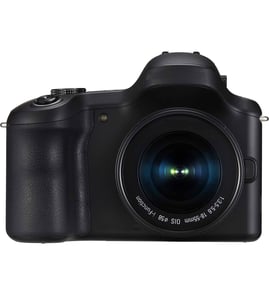
Panasonic Camera Parts — Browse All Models
Sears PartsDirect is a leading supply of replacement parts for Panasonic cameras. Panasonic makes cameras that include convenient features such as autofocus and digital zoom. When your Panasonic camera isn't working, find the repair parts you need to fix the problem at Sears PartsDirect.

 Owner’s manual
Frequently bought Panasonic parts
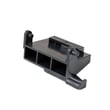
Panasonic Open Lever
Part #F82565X00AP
This item is not returnable
In Stock
$35.03

Qty

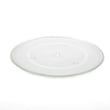
Panasonic Cook Tray
In Stock
$28.61
41% OFF Was : $48.77
Qty
Panasonic Button
Part #F80375K00AP
This item is not returnable
In Stock
$12.90
13% OFF Phone Price : $14.90
Qty
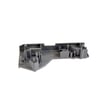
Panasonic Door Hook
Part #F3020-1200
Replaced by #F30206G30CP
Manufacturer substitution
This part replaces F3020-1200. Substitute parts can look different from the original.
In Stock
$17.78
10% OFF Phone Price : $19.78
Qty
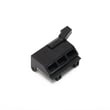
Panasonic Lever
Part #F82565W00AP
This item is not returnable
In Stock
$35.03
Qty
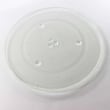
Panasonic Glass Tray
In Stock
$58.82
Qty
Popular maintenance items for Cameras
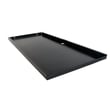
Storage Cabinet Shelf With Magnet
In Stock
$33.48
46% OFF Was : $61.71
Qty
Panasonic Battery
In Stock
$59.95
Qty

Sony Rear Cabinet
In Stock
$67.76
Qty
Panasonic Rear Plate
In Stock
$15.65
Qty
Cd Rom
Part #428794701
Replaced by #428794705
Manufacturer substitution
This part replaces 428794701. Substitute parts can look different from the original.
In Stock
$14.61
Qty
Lock Pin
Part #X25860351
This item is not returnable
In Stock
$3.93
Qty
Cleaning tips for your Panasonic camera
- Use a commercial camera lens cleaning solution and lens paper when cleaning the camera lens to avoid scratching the lens and distorting video capture. Don't touch the lens surface with your bare fingers or hand while cleaning.
- Don't use strong or abrasive detergents when cleaning the camera body. Use only mild detergent and water to moisten a non-abrasive cloth and wipe down the camera body. Wipe off detergent residue using a lint-free cloth moistened with plain water. Dry the camera body thoroughly with a non-abrasive, lint-free cloth.
- To protect the finish of the camera body, wash your hands and face to remove any chemical products such as make-up or suntan lotion that can damage the finish.
- Protect the lens by keeping the lens cover installed on the camera then you're not using the device.
Top-selling Panasonic camera repair parts
- Lens. The lens captures the image and focuses the image light on the film or digital sensor.
- Shutter. The camera shutter controls the duration of light that's exposed to the film or digital image sensor.
- Digital image sensor. The digital image sensor captures and stores the image transmitted through the lens.
- Memory card. The memory card stores digital images.
Parts & More
Bottom-Mount Refrigerator
Electric Range
Elliptical Machine
Engine & Drivetrain
Front-Engine Lawn Tractor
Gas Line Trimmer
Gas Pressure Washer
Gas Water Heater
Laundry Center
Parts
Rear-Engine Riding Mower
Table Saw
Water & Ice System