- Kenmore refrigerator water filters
- Whirlpool refrigerator water filters
- Samsung refrigerator water filters
- GE refrigerator water filters
- LG refrigerator water filters
- Frigidaire refrigerator water filters
- KitchenAid refrigerator water filters
- Maytag refrigerator water filters
- Kenmore Elite refrigerator water filters
- Estate refrigerator water filters
- GE Profile refrigerator water filters
- Amana refrigerator water filters
- Bosch refrigerator water filters
- Dacor refrigerator water filters
- Electrolux refrigerator water filters
Top DIY repair help
View All Repair Categories
Appliances
Lawn & Garden
Power Tools
Home Improvement
Sports & Leisure
Heating & Cooling
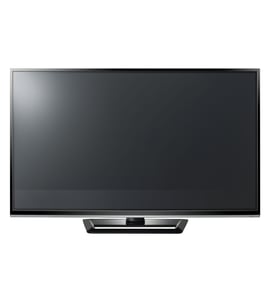
Panasonic Plasma television Parts — Browse All Models
Panasonic plasma televisions feature crisp and clear displays so you can enjoy watching your favorite shows and videos. Precise controls in Panasonic plasma televisions produce consistently clear images on their large plasma display screens. When your Panasonic plasma television quits working, find the replacement parts you need to fix the problem at Sears PartsDirect.


 Owner’s manual
Frequently bought Panasonic parts
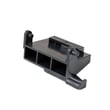
Panasonic Open Lever
Part #F82565X00AP
This item is not returnable
In Stock
$35.03

Qty

Panasonic Cook Tray
In Stock
$28.61
41% OFF Was : $48.77
Qty
Panasonic Button
Part #F80375K00AP
This item is not returnable
In Stock
$12.90
13% OFF Phone Price : $14.90
Qty
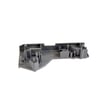
Panasonic Door Hook
Part #F3020-1200
Replaced by #F30206G30CP
Manufacturer substitution
This part replaces F3020-1200. Substitute parts can look different from the original.
In Stock
$17.78
10% OFF Phone Price : $19.78
Qty
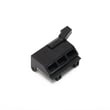
Panasonic Lever
Part #F82565W00AP
This item is not returnable
In Stock
$35.03
Qty
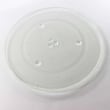
Panasonic Glass Tray
In Stock
$58.82
Qty
Popular maintenance items for Plasma Televisions
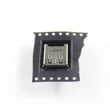
Usb Jack
In Stock
$33.23
Qty

Philips Capacitor
Part #202055490148
This item is not returnable
In Stock
$3.45
Qty
Thermistor
Part #180404511
This item is not returnable
In Stock
$9.41
Qty
Ic
In Stock
$32.17
Qty
100h, Me
Part #121592911
This item is not returnable
In Stock
$6.69
Qty
Core-ferr
In Stock
$26.75
Qty
Installing the table-top stand on your Panasonic plasma television
- Remove all packing materials from the table-top television stand. Find a screwdriver to use when installing the stand on the television cabinet.
- Wear work gloves to protect your hands when installing the television stand.
- Position the stand on the entertainment center or table. Using a helper, carefully lift the television and slide the base of the television cabinet onto the stand. Support the television as you install the stand mounting screws. Tighten the mounting screws firmly. Don't put stress on the plasma display panel or the cabinet frame around the plasma display panel. Be careful not to pinch your hands or the power cord as you install the television on the table-top stand.
- Tighten the stand mounting screws firmly. Check the television for stability after installing the stand.
Troubleshooting your Panasonic plasma television when it won't power up
- Check that the television power cord is fully plugged into the wall outlet. If you have the television plugged into a surge protector, make sure the surge protector is plugged into the wall outlet.
- Check the electrical wall outlet for power. Plug a night light or small appliance into the electrical wall outlet to see if the outlet has power. If the outlet is dead, reset the house circuit breaker for the electrical wall outlet.
- If the wall outlet is okay and you have the television plugged into a surge protector, reset the surge protector if the surge protector tripped. If the surge protector isn't tripped, plug the television directly into the wall outlet. If the television powers up when plugged directly into the wall outlet, replace the surge protector because it isn't allowing the television to get power.
Parts & More
Automotive
Boating
Front-Engine Lawn Tractor
Gas Leaf Blower
Line Trimmer
Parts
Range Hood
Room Air Conditioner
Television
Upright Vacuum
Walk-Behind Mower
Wine & Beverage Cooler