- Kenmore refrigerator water filters
- Whirlpool refrigerator water filters
- Samsung refrigerator water filters
- GE refrigerator water filters
- LG refrigerator water filters
- Frigidaire refrigerator water filters
- KitchenAid refrigerator water filters
- Maytag refrigerator water filters
- Kenmore Elite refrigerator water filters
- Estate refrigerator water filters
- GE Profile refrigerator water filters
- Amana refrigerator water filters
- Bosch refrigerator water filters
- Dacor refrigerator water filters
- Electrolux refrigerator water filters
Top DIY repair help
View All Repair Categories
Appliances
Lawn & Garden
Power Tools
Home Improvement
Sports & Leisure
Heating & Cooling
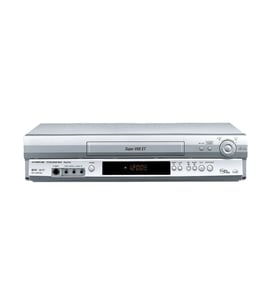
Sony Vhs players & vcrs Parts — Browse All Models
Sony VHS players set the standard for excellence in video cassette tape playback. You'll enjoy clear video and rich sound when playing video cassette tapes on your Sony VHS player. When your Sony VHS player isn't performing as it should, find the replacement parts you need to fix the problem at Sears PartsDirect.

 Owner’s manual
Frequently bought Sony parts

Cushion Sp
Part #425981501
This item is not returnable
In Stock
$2.65

Qty

Sony Rear Cabinet
In Stock
$67.76
Qty
Fp-1526 Pc
In Stock
$25.27
Qty
Retainer
Part #4-911-032-02
Replaced by #491103202
Manufacturer substitution
This part replaces 4-911-032-02. Substitute parts can look different from the original.
This item is not returnable
In Stock
$4.13
Qty
Cd Rom
Part #428794701
Replaced by #428794705
Manufacturer substitution
This part replaces 428794701. Substitute parts can look different from the original.
In Stock
$14.61
Qty
Lock Pin
Part #X25860351
This item is not returnable
In Stock
$3.93
Qty
Popular maintenance items for VHS Players & VCRs
Integrated Circuit
In Stock
$18.20
Qty
Owner's Manual
Part #IB7714E001
This item is not returnable
In Stock
$8.07
Qty
Service Manual
In Stock
$87.99
Qty
Fe Hd Kit
Part #483531057419
This item is not returnable
In Stock
$9.60
Qty
Magnavox Cass Up As
In Stock
$29.77
Qty
Panasonic Integrated Circuit
In Stock
$41.34
Qty
How to repair a video cassette tape used in your Sony VHS player
- Remove all adhesive labels from the spine of the video cassette tape or cut the label along the seam cassette case so you can separate the halves of the cassette case.
- Remove the screws from the back of the cassette tape. Typically there are screws in each corner and a screw in the middle.
- Lay the video cassette tape on a padded surface with the top of the tape facing up. Open the front cover and carefully pull the top off of the tape.
- Route the broken tape ends through the rollers. Release the reel catch and pull some tape out on both ends then let go of the release to lock the reels.
- Cut off any damaged tape. Overlay the ends of the broken video tape and cut across the overlay at a 30-degree angle. Tape the back sides of the video tape ends together using adhesive tape. Trim adhesive tape overlay from the video tape.
- Rewind the video tape back in the cassette case. Reinstall the cassette case cover and reinstall the screws.
- Insert the video cassette tape in the VHS player and check to see if the tape plays properly.
Adjusting the picture tracking on your Sony VHS player
Although the VHS player automatically adjusts the tracking when playing a video cassette tape, picture distortion may occur if the tape is in poor condition.
To adjust tracking, press Tracking +/- to display the tracking meter on your VHS player. Press the + or – buttons to adjust tracking until picture distortion disappears.
To resume automatic tracking adjustment of video cassette tapes, eject the tape. When you insert a tape into the VHS player, automatic tracking will be enabled.
Parts & More
Electric Leaf Blower
Front-Engine Lawn Tractor
Gas Line Trimmer
Gas Range
Gas Walk-Behind Mower
Parts
Rear-Engine Riding Mower
Side-By-Side Refrigerator
Upright Freezer